Order number on the receipt
You can configure order number repetition for receipts with an account setting. Receipts have their own toggle, separate from the invoice setting.
- Purpose: If you need to issue multiple receipts for one order, enable order number repetition. If you want each order number to appear only once on receipts, disable repetition.
- Where to set: Settings → Account settings → Invoicing settings, in the receipt editor settings (Nyugtaszerkesztő beállítások) section. Find the “Disable order number repetition” (Rendelésszám ismétlődés tiltása) toggle. Turn on if you do not want multiple receipts with the same order number; turn off if you issue multiple receipts with the same order number.
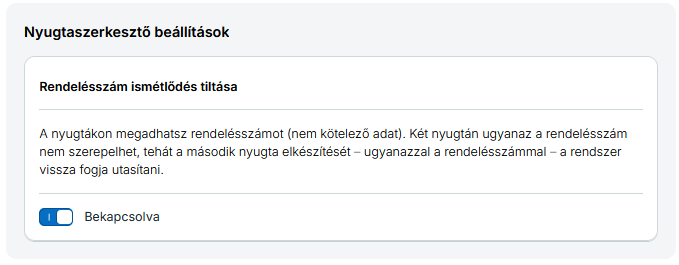
If the restriction is on, you cannot create a new receipt with a previously used order number. The check is applied per document type: a receipt and an invoice can carry the same order number. Invoices have their own toggle with the same name in the invoice editor settings section; see the Generating invoice / Order number and duplicate checking page.
How to send the order number in the request
Put the order number in the header (<fejlec>) block of the receipt creation request, in the optional <rendelesSzam> element. If you omit it, no order number is shown on the receipt.
Example header (order number at the end):
  <fejlec>
    <hivasAzonosito></hivasAzonosito>
    <elotag>NYGTA</elotag>
    <fizmod>készpénz</fizmod>
    <penznem>Ft</penznem>
    <devizabank></devizabank>
    <devizaarf>0.0</devizaarf>
    <megjegyzes></megjegyzes>
    <pdfSablon></pdfSablon>
    <fokonyvVevo></fokonyvVevo>
    <rendelesSzam>ORD-2026-001</rendelesSzam>
  </fejlec>
The XML + XSD page shows the full request structure (XML example and XSD schema tabs).
Where the order number appears in the response
The receipt creation response (xmlnyugtavalasz) returns the receipt data inside the <nyugta> block. The order number is in the <alap> (basic data) block, in the <rendelesSzam> element—with the same value you sent in the request.
Example of the response’s alap block (order number at the end):
  <nyugta>
    <alap>
      <id>123456</id>
      <hivasAzonosito></hivasAzonosito>
      <nyugtaszam>NYGTA-2026-001</nyugtaszam>
      <tipus>NY</tipus>
      <stornozott>false</stornozott>
      <kelt>2026-06-15</kelt>
      <fizmod>készpénz</fizmod>
      <penznem>Ft</penznem>
      <megjegyzes></megjegyzes>
      <fokonyvVevo></fokonyvVevo>
      <teszt>false</teszt>
      <rendelesSzam>ORD-2026-001</rendelesSzam>
    </alap>
    ...
  </nyugta>
For the full response structure, see the Response page.
Related knowledge base article: Rendelésszám a nyugtán.